Quantower
One build for Quantower, Optimus Flow and AMP-branded Quantower.

What it shows
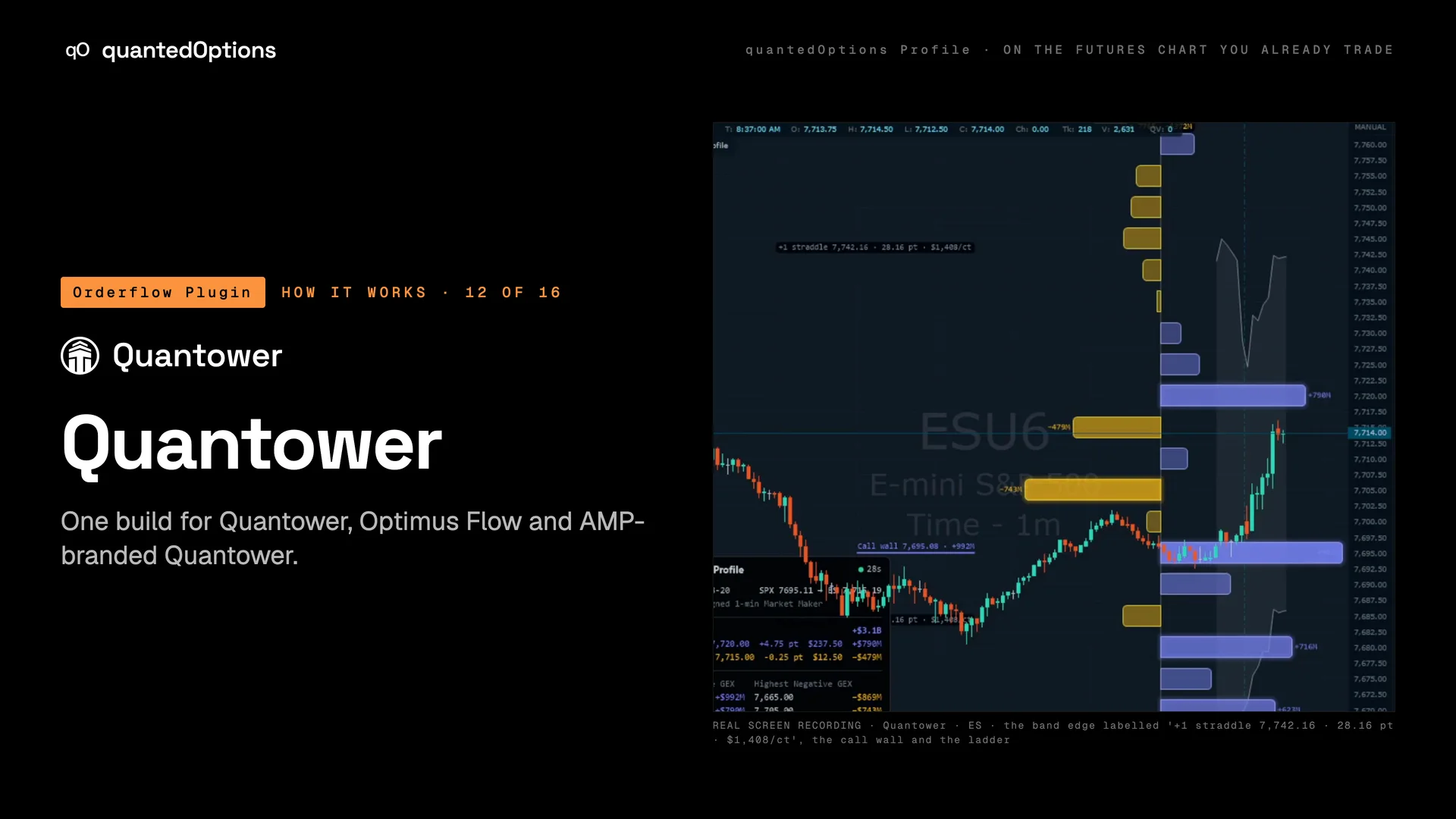
The 0DTE Profile and the gamma nodes on the futures price, with the straddle band and the panel. One build, three platforms: the same files run in Quantower and in the broker-branded editions traders are often already given, Optimus Flow and AMP-branded Quantower, on the same key.
What it is built from
The same data, the same settings and the same key as every other platform. On ES and MES: licensed CBOE one-minute data with market-maker positioning, from SPX. On the other families: computed from data consolidated across every US options exchange: open interest and volume.
On this platform
Only on Quantower
One build also runs in Optimus Flow and AMP-branded Quantower: same files, same key.
- Runs on
- Quantower, Optimus Flow and AMP-branded Quantower
- OS
- Windows
Three steps
- 01Download the Quantower add-on from your Orderflow Plugin page and unzip it.
- 02Create a quantedOptions folder under Settings › Scripts › Indicators, copy both .dll files into it and start Quantower.
- 03Click Indicators on the chart, add quantedOptions Profile, paste your key in the connection settings and leave Source and Conversion on AUTO.
Reading
How to read it
- Read it as on every platform: the regime in the panel, the nearest node each side, the band.
- A ladder that grows new bars through the morning is positioning being added: the Change rows put numbers on it.
- Identical in Optimus Flow and AMP-branded Quantower: same picture, same settings.
Settings
What each setting does
| Setting | Options | What it changes |
|---|---|---|
| Indicator settings, group Connection | API key, Options underlying AUTO, Price conversion AUTO, Book | The key and the AUTO settings. |
Read it with
- Gamma nodes at the strikes — one bar per strike: positive nodes slow price, negative nodes let it through
- The data panel — the regime, the nearest nodes, the top strikes and what changed, in one corner
- Get started: pick your platforms, paste your key — pick two platforms, get your key, three steps, leave everything on AUTO
Good to know
- It fits Quantower's free edition: the Profile takes one of the two indicator slots a chart has there.
- Find it with the Indicators button on the chart: search 'quantedOptions Profile'.
On a real chart
See it happen
Quantower · ES: the 0DTE Profile and the gamma nodes on the futures price, with the '+1 straddle' edge labelled on the chart and the panel in its corner.
11 slides
The walk-through, slide by slide
Slide 1 / 11
These pages describe what the displays show and what the data did on the sessions shown. They are not trading advice, and a past session is not a forecast of a future one.